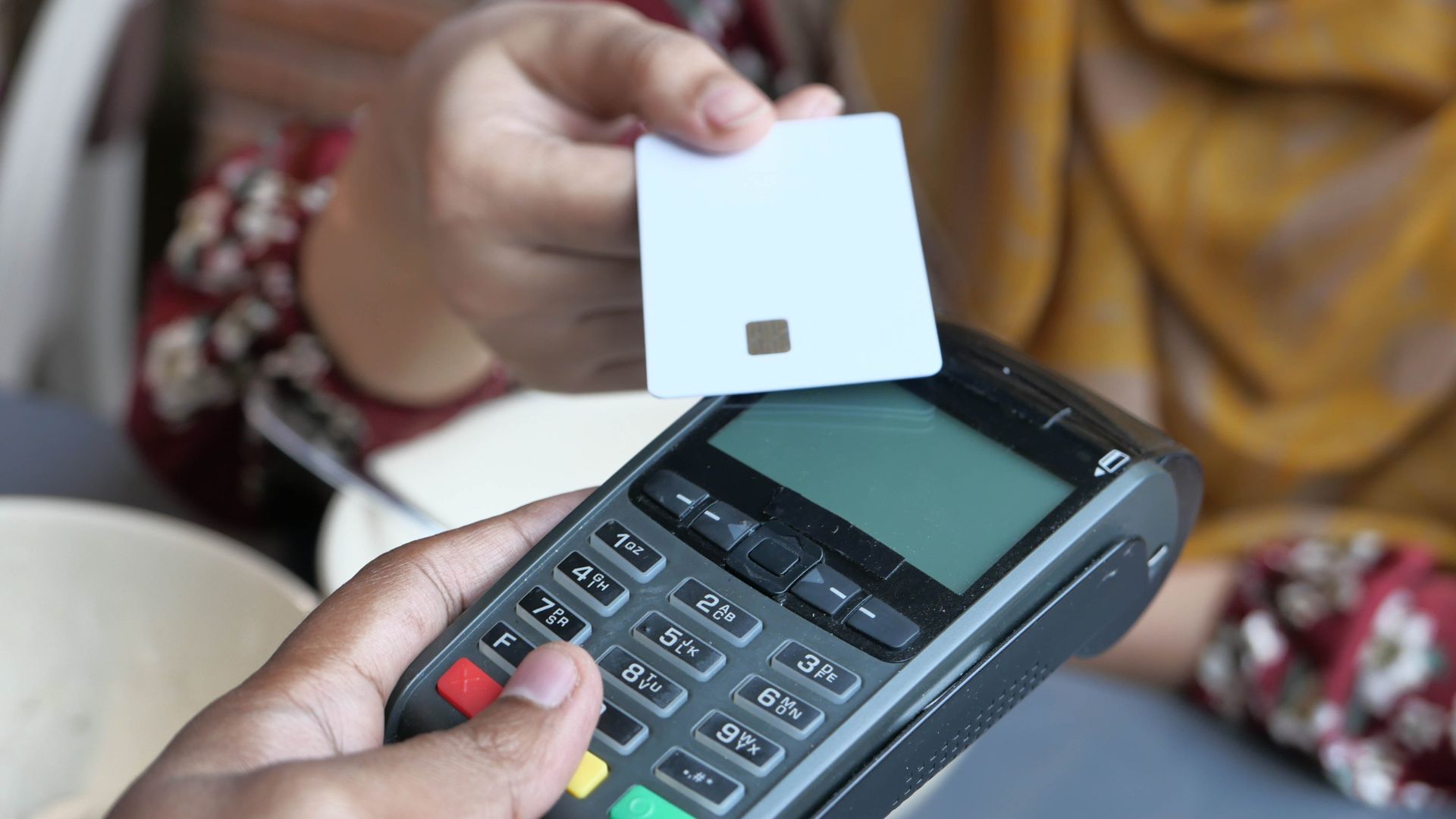
Yes — you can use a virtual credit card on Amazon.ca for most purchases by entering the card number, expiry and CVV and matching the billing name and address. Temporary authorization holds or AVS mismatches can cause declines, so check limits, expiry and issuer rules for recurring charges. Single‑use or low‑limit numbers may fail for subscriptions. If you want reliable tips on setup, troubleshooting and safer alternatives, keep going for clear, practical steps and examples.
Can You Use a Virtual Credit Card on Amazon.ca?
Can you use a virtual credit card on Amazon.ca? Yes—you can often add a virtual card as a payment method if it supplies a valid card number, expiry date, and CVV.
You’ll enter those details where you’d normally add a new credit card, and Amazon treats it like any other card for purchases and subscriptions.
Using a virtual card benefits you by limiting exposure: you can set single-use numbers or short expiry dates to reduce fraud risk. That enhances online shopping security because stolen numbers quickly become useless.
Still, verify your card issuer supports recurring payments if you plan subscriptions, since some virtual cards are single-use and may disrupt automatic billing.
Check issuer terms before relying on one for ongoing charges.
Quick Test: Add a Virtual Card to Amazon in 3 Steps
Before you commit, run a quick test by adding your virtual card to Amazon’s payment methods so you can confirm it works for purchases and recurring charges.
Step 1: generate or select a virtual card from your bank or card app and copy the card details.
Step 2: sign into your Amazon account, go to Your Payments, choose Add a credit or debit card, and paste the virtual card information.
Step 3: set the virtual card as default for a small test purchase or a low-cost subscription, then monitor the charge.
This quick check lets you verify compatibility, enjoy virtual card benefits like controlled spending and reduced exposure, and continue Amazon shopping confidently if the charge processes successfully.
How Virtual Credit Cards Work (Number, CVV, Expiry)
When you get a virtual credit card, it comes with its own card number, CVV, and expiry just like a physical card.
You’ll enter those details at checkout on Amazon in Canada the same way you’d with a regular card.
Below we’ll explain how temporary numbers, changing CVVs, and short expirations affect one-time and recurring purchases.
Virtual Card Number
A virtual card number is a temporary, system-generated substitute for your real card details that you can use for online purchases; it includes its own number, CVV, and expiration so merchants never see your actual account information.
You’ll get a unique number tied to your account that isolates each merchant interaction, improving card security and reducing exposure if a site is breached. Issuers let you set transaction limits or single-use flags, so you control how much can be charged.
- You can create numbers instantly for specific merchants or one-off purchases.
- Numbers are linked to your real account but block direct access to it.
- You can set transaction limits to cap spending per virtual card.
- You can cancel or expire a number without affecting the main card.
CVV And Expiry
Because virtual cards are meant to stand in for your real card, they also come with their own CVV and expiration date that merchants see instead of your primary account details.
When you use a virtual card on Amazon, you’ll enter that card’s CVV and expiry dates at checkout just like with a physical card.
Issuers generate a unique CVV to provide CVV security separate from your main account, so even if a merchant stores those digits, your real card info stays hidden.
Expiry dates can be short-lived or match the virtual card’s lifespan; some providers let you set a single-use or limited-time expiry to reduce fraud risk.
Always check the virtual card’s expiry before placing recurring orders.
The Envelope Method, Reinvented for Online Spending
Budgets are far easier to keep when the cash simply runs out. A money-smart friend treats her virtual debit card alternative for everyday budgeting like a cash envelope—fixed amount in, and that’s the limit. She pointed us to Qwikvcc, and it’s quietly become a budgeting favorite. Rather than leaning on willpower against an open credit card, we set the cap when loading the prepaid card and let it police us. It’s the old envelope system, finally dragged into the digital age.
Amazon.ca Verification & Billing Rules for Virtual Cards
Although virtual credit cards simplify online payments, Amazon.ca still enforces specific verification and billing rules you’ll need to follow: you must provide matching name and billing address, verify small authorization charges, and respect your card issuer’s virtual card security settings and transaction limits.
Amazon may decline mismatched details or one-time-use numbers that expire before settlement.
- Ensure the billing name/address on Amazon matches the virtual card profile.
- Expect temporary authorization holds; confirm amounts in your card portal.
- Use cards with sufficient transaction limits and valid expiry for order processing.
- Be ready to complete identity checks if Amazon flags the payment.
Follow these rules to reduce declines and speed order fulfillment while preserving your virtual card security.
How to Set Billing and Shipping for a Virtual Card on Amazon
When you add a virtual card to your Amazon.ca account, set the card’s billing address to match the one your issuer has on file so the verification checks pass.
If you’re shipping to a different location, add that address as a separate shipping address in your account and select it at checkout.
Don’t forget to pick the correct billing address on the payment page to avoid payment errors.
Set Billing Address
Start by adding the virtual card as a payment method in your Amazon account, then confirm its billing address matches what the card issuer has on file; if the two don’t match, payments will likely be declined.
You’ll want to complete billing address verification before checkout to avoid failed charges. Use address formatting tips from your issuer—abbreviations, unit numbers, and postal code formatting matter. Update Amazon’s payment settings to mirror the issuer’s record exactly.
- Check full name, street, unit/suite, city and province for exact matches.
- Enter the postal code precisely, including spacing and capitalization if specified.
- Avoid extra punctuation or nonstandard abbreviations that might trigger verification errors.
- Save and re-select the card at checkout to confirm the verified billing address is active.
Match Shipping Address
After you’ve matched the billing address to the virtual card issuer’s record, make sure the shipping address aligns with that billing information or with an authorized address on the card.
On Amazon, you’ll add or select a shipping address during checkout; choose one that passes address verification to avoid declines. Some virtual cards impose shipping restrictions—like limiting delivery to your verified home or a cardholder’s confirmed alternate—so confirm permitted addresses with the issuer before ordering.
If Amazon flags the address, update it to match formatting the issuer uses (unit numbers, postal code). For gift purchases, consider using an alternate recipient’s address only if the card issuer explicitly authorizes it.
Double-check both billing and shipping to smooth approval and delivery.
Common Problems Adding Virtual Cards : And Fast Fixes
Although virtual cards make online payments simpler, you’ll still run into a few common hiccups when adding them to Amazon Canada—expired or mismatched billing info, issuer restrictions on merchant types, and temporary AVS or verification failures are the usual culprits.
You’ll want to confirm billing address, expiration, and CVV right away, and check issuer rules about merchant categories and transaction limits. For security, enable virtual card security features and whitelist Amazon if your issuer offers it.
If a charge is declined, try a quick reissue or use the physical card as a backup.
- Verify billing address and CVV match your Amazon account
- Check issuer merchant restrictions and transaction limits
- Reissue the virtual card or refresh details in your wallet
- Contact issuer support for AVS or verification errors
Canadian Virtual Card Issuers That Work With Amazon.Ca
When you’re shopping on Amazon.ca, several Canadian issuers and fintechs provide virtual card options that are compatible with the site—each with different rules on merchant acceptance, funding sources, and security features.
You’ll find popular options from banks and apps that highlight virtual benefits like single-use numbers, instant issuance, and spending controls.
Check Canadian issuers for integration with digital wallets and whether they present a standard card number, expiry, and CVV Amazon accepts.
Read User experiences to confirm success with checkout and customer support responsiveness.
Evaluate Security features such as tokenization, transaction alerts, and lock/unlock controls.
Be aware of Card limitations—some virtual cards block certain merchant categories, limit amounts, or don’t support address verification—so confirm terms before relying on them.
Why Virtual Cards Fail for Subscriptions and Recurring Payments
Because virtual cards often generate single-use numbers or let you set strict limits, they can break recurring charges that expect a stable card on file. You’ll find subscription management systems and merchants often fail to accept rotating numbers, declined renewals trigger service interruptions, and automated retries can’t fix an expired token. That means you’ll need to monitor every renewal closely.
- Single-use or short-lived numbers cause immediate declines on recurring billing attempts.
- Spending caps or merchant restrictions block subsequent automatic charges.
- Tokenization mismatch: some platforms won’t update to a new virtual number automatically.
- Notifications may be missed, so you won’t catch failed payments before service lapses.
Plan around these limits when you rely on subscriptions.
Alternatives If a Virtual Card Won’t Work (Gift Cards, Prepaid, Wallets)
If a virtual card doesn’t work on Amazon, you can load your account with an Amazon Gift Card and pay directly from your balance.
You can also use reloadable prepaid cards that behave like debit/credit and are often accepted at checkout.
Finally, check digital wallets linked to your account — they can provide a seamless alternative if the virtual card is rejected.
Amazon Gift Card Use
Although a virtual credit card sometimes won’t work on Amazon Canada, you’ve got solid alternatives: Amazon gift cards, prepaid cards, and digital wallets can keep you shopping without a linked physical card.
Gift card benefits include immediate balance use, easy gifting, and bypassing card verification hiccups. You’ll follow a simple redemption process: enter the code at checkout or in Your Account to apply funds to your balance. Use gift cards for Prime subscriptions, third-party sellers, and most digital content.
- Buy Amazon gift cards online or at retail stores for quick funding.
- Combine multiple gift cards to cover larger purchases.
- Check expiration and regional restrictions before buying.
- Keep codes secure; treat them like cash.
Reloadable Prepaid Cards
When a virtual credit card won’t pass Amazon Canada’s verification, reloadable prepaid cards give you a reliable, card-like payment option without needing a bank account or long-term credit line.
You can buy a reloadable prepaid card from banks, retailers, or online issuers, load funds, and use the card’s number on Amazon like a regular debit or credit card.
Check reloadable limits before you buy — some cards cap monthly reloads or maximum balances, which affects large purchases.
These cards offer spending flexibility: you control how much is loaded and avoid overdrafts or credit checks.
Keep receipts and register the card if possible to recover funds if it’s lost, and verify Amazon accepts the issuer before relying on it.
Digital Wallet Payments
Looking for alternatives when a virtual card won’t clear Amazon Canada’s checks? You can use digital wallets like Apple Pay or Google Pay where accepted, or rely on Amazon gift cards and reloadable prepaid cards to complete purchases.
Digital wallets enhance payment security by tokenizing card details and often require biometrics, reducing fraud risk. If Amazon rejects a virtual card, try these options:
- Buy Amazon gift cards with a bank transfer or at a store, then redeem on your account.
- Use a reloadable prepaid card issued to your name to satisfy billing match rules.
- Pay via compatible digital wallets on supported devices for faster checkout and added payment security.
- Link a conventional credit card as a fallback for recurring or larger purchases.
Safety Tips & Best Practices When Using Virtual Cards on Amazon
Because virtual cards limit exposure of your real account details, you should still follow a few key precautions to keep purchases safe on Amazon Canada.
Use virtual card security best practices: set single-use or merchant-locked numbers, cap spending limits, and expire numbers promptly after purchase.
Link only to trusted Amazon accounts and avoid saving virtual details in public or shared profiles.
Monitor transactions frequently and enable alerts for any charge attempts.
Keep your device and Amazon app updated, use strong passwords with two-factor authentication, and avoid public Wi‑Fi when completing payments.
If a charge looks suspicious, contact your card issuer immediately to freeze or cancel the virtual number and dispute the transaction to minimize risk.
Frequently Asked Questions
Can Virtual Cards Be Used for Amazon Prime Student or Other Discounts?
Yes — you can often use virtual cards for Amazon Prime Student and other student discounts, but you’ll want to confirm virtual card benefits like billing address match, recurring-authorize support, and issuer policies to avoid unexpected declines.
Will Amazon.Ca Store My Virtual Card Details for Later Use?
About 60% of shoppers reuse saved cards, and you won’t always be among them: Amazon.ca can store your virtual card for future purchases, but virtual card security and transaction limitations may prevent saving or recurring use.
Can I Use a Virtual Card With Amazon Pay on Other Websites?
Yes — you can use a virtual card with Amazon Pay on other websites if the merchant accepts the virtual card’s network; you’ll benefit from virtual card security while payment processing follows the merchant’s gateway and Amazon Pay rules.
Do Virtual Cards Work for Amazon Marketplace Sellers Outside Canada?
Yes — but consider flags: a virtual card’s limitations can block some international seller options, so you’ll need cards that allow cross-border billing, match address requirements, and accept merchant verification to ensure successful Amazon marketplace purchases.
Can I Add a Virtual Card to an Amazon Household Account?
Yes — you can add a virtual card to an Amazon Household account if the card’s issuer allows online merchant billing; you’ll manage it via household account settings, enjoying virtual card security while sharing payment methods with family members.
Final words
Think of a virtual card as a short-lived spark: great for one-off Amazon.ca buys but fizzling with recurring charges. You can usually add the card’s number, CVV, and expiry like a physical card, match billing and shipping addresses, and shop safely—yet subscriptions, some verification checks, or merchant holds can snuff it out. If it fails, pivot to gift cards, prepaid cards, or a wallet. Use strong passwords, monitor statements, and keep that spark controlled.
Leave a Reply